
THE WHAT
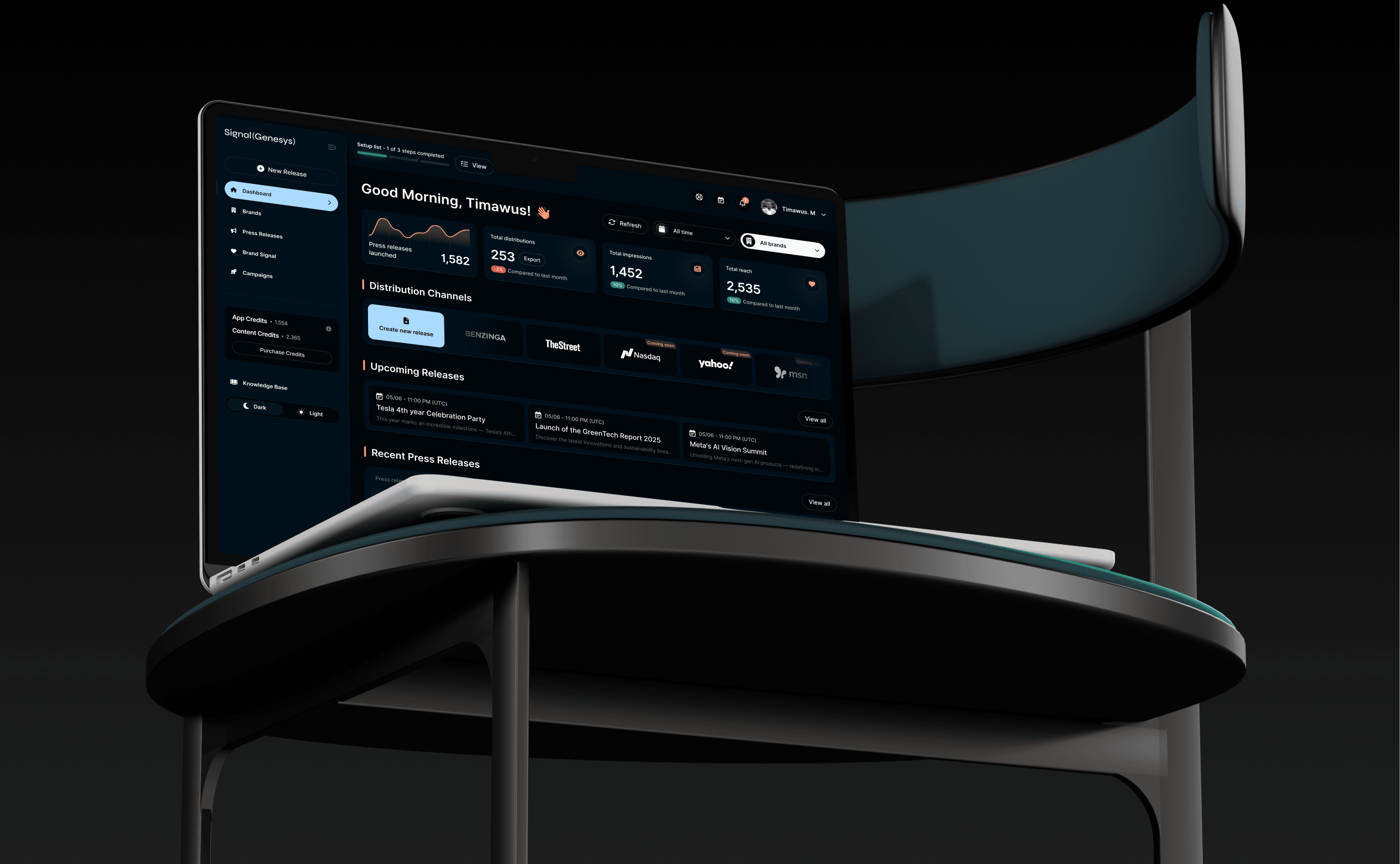
Signal Genesys is a press release distribution platform powered by AI signals. Despite its robust backend, the UI was outdated, inconsistent, and lacked a cohesive design system — leading to user friction and branding disconnect. My role was to modernize the entire experience, improve visual hierarchy, enhance navigation, and create a scalable design system for future development.
THE CHALLENGE
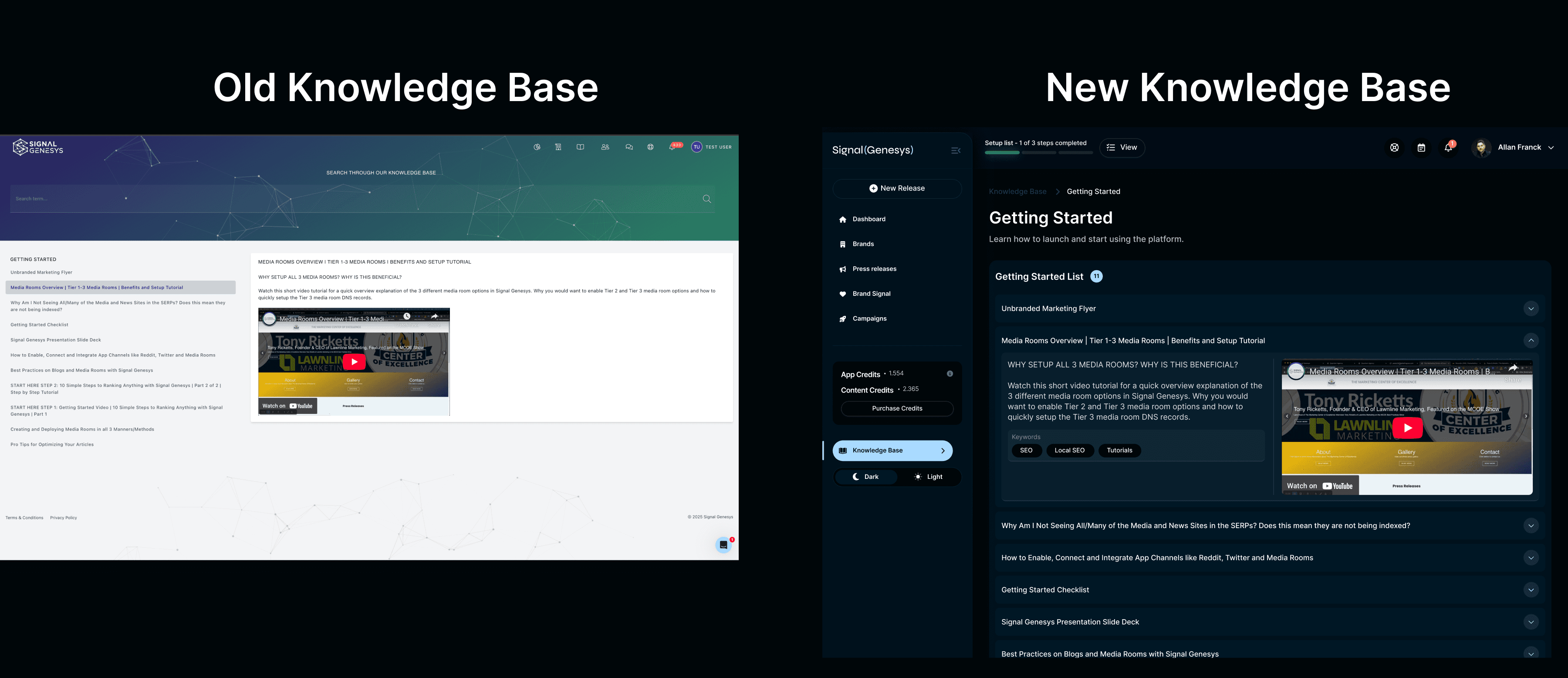
The legacy interface felt dated and lacked modern UX patterns.
There was no consistent design language — typography, color, and spacing varied wildly across screens.
Users found navigation unintuitive and onboarding overwhelming.
The product team had initiated a rebrand, and the UI needed to align with the new theme across all touchpoints.
No central design system existed, making design scalability difficult.
THE BIG PLAN
Conduct a UI audit of existing Signal Genesys screens and extract reusable components.
Collaborate with PMs and devs to define core user journeys that needed improvement.
Revamp the navigation experience to support onboarding and task discovery.
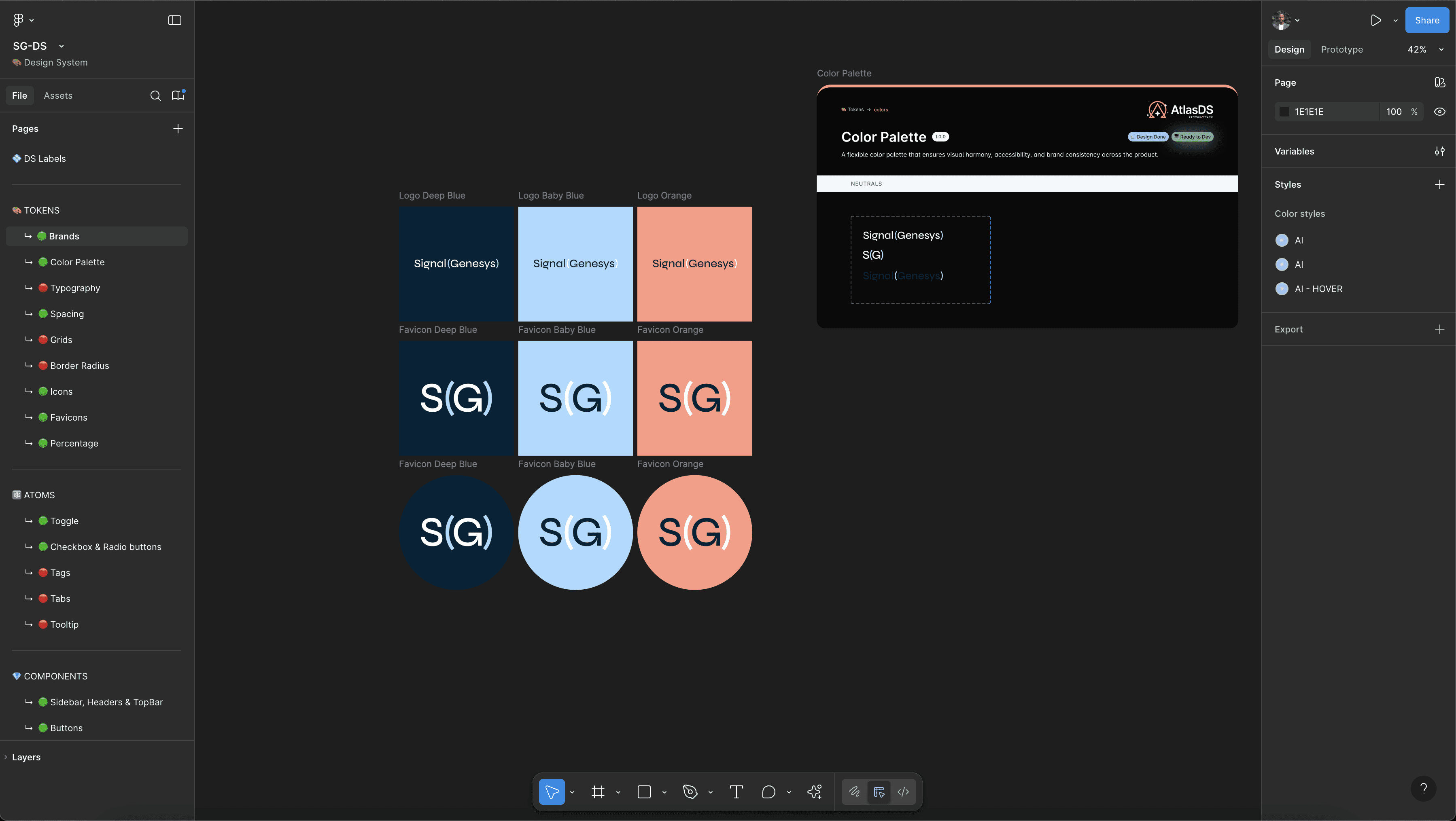
Build a fresh design system including:
Typography scale
Spacing system
Button styles (primary, secondary, ghost)
Iconography and feedback components
Apply the new design language across all product screens without altering core functionality.
Ensure mobile responsiveness and accessibility compliance.
THE REDESIGN
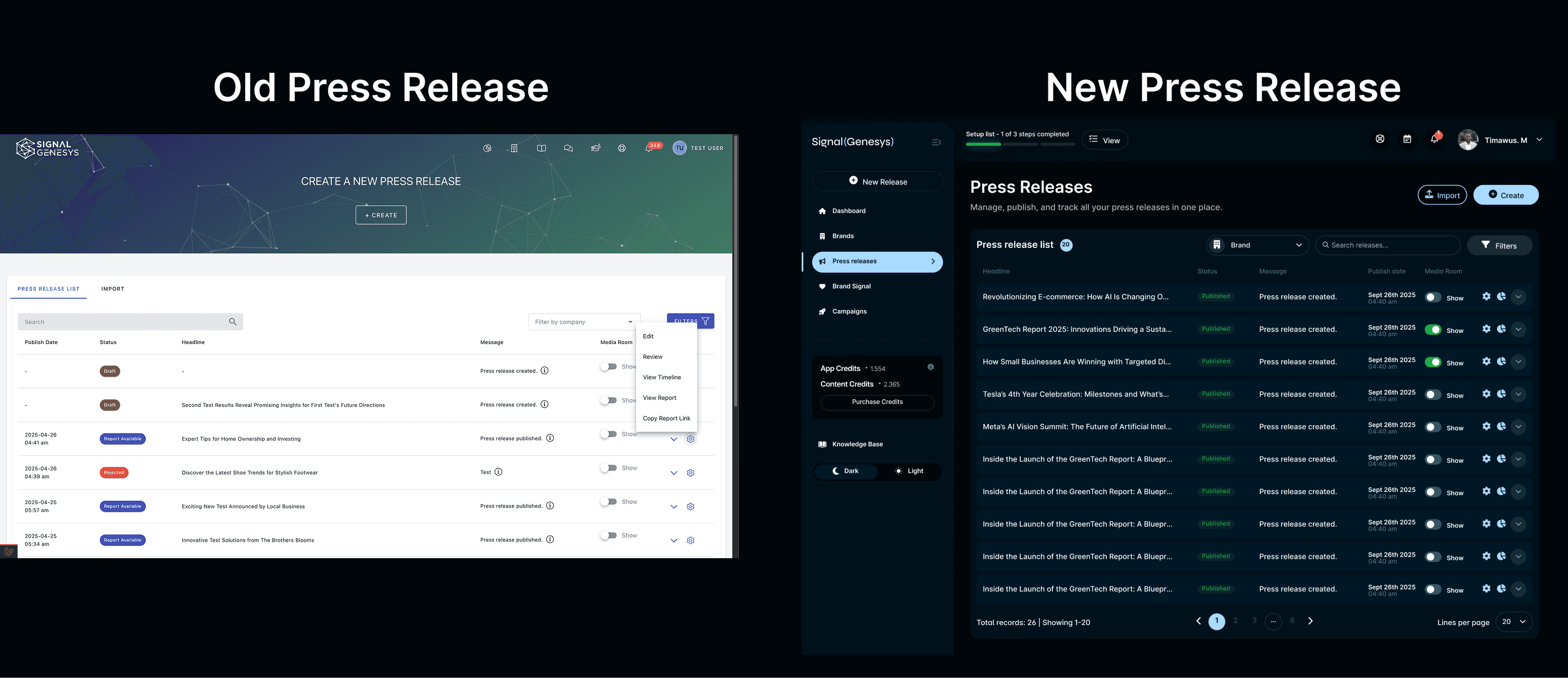
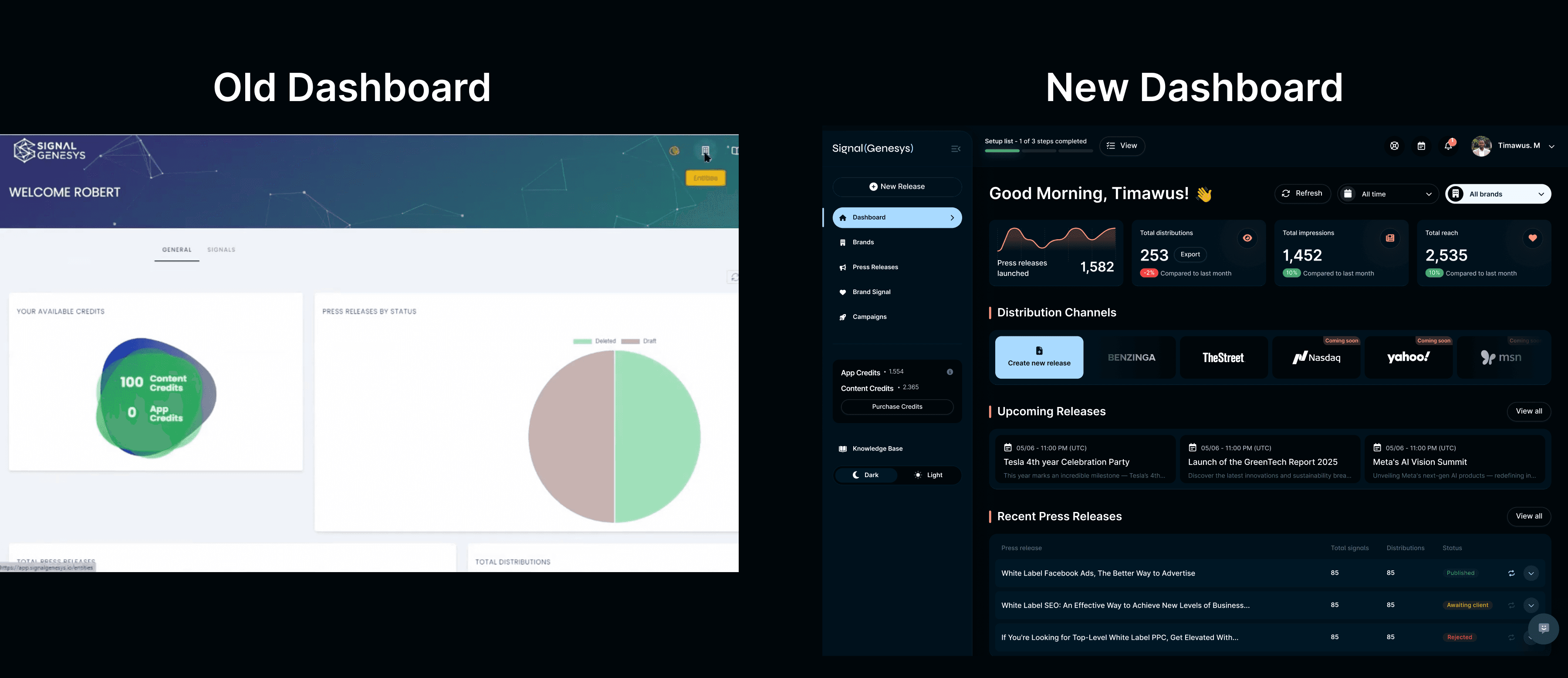
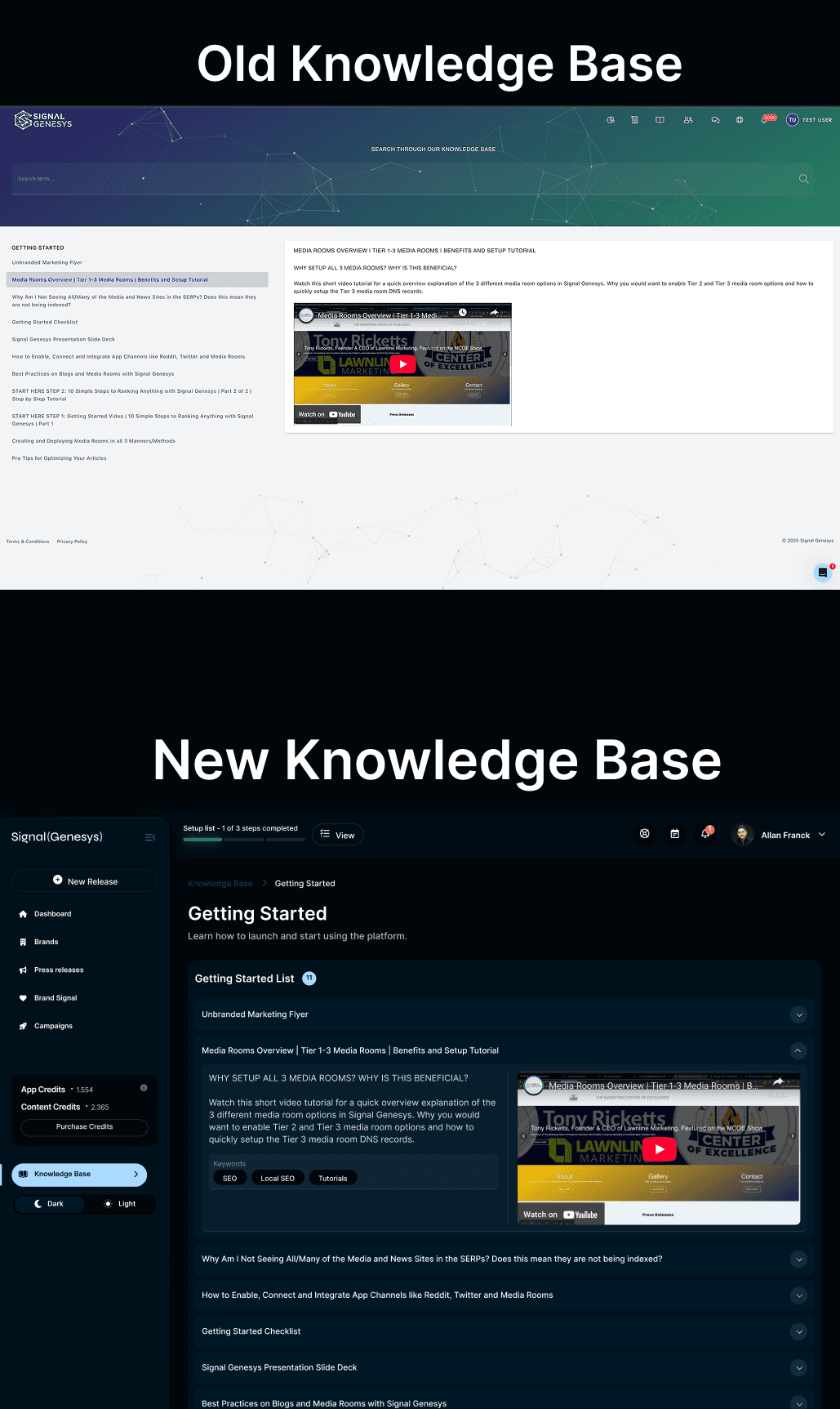
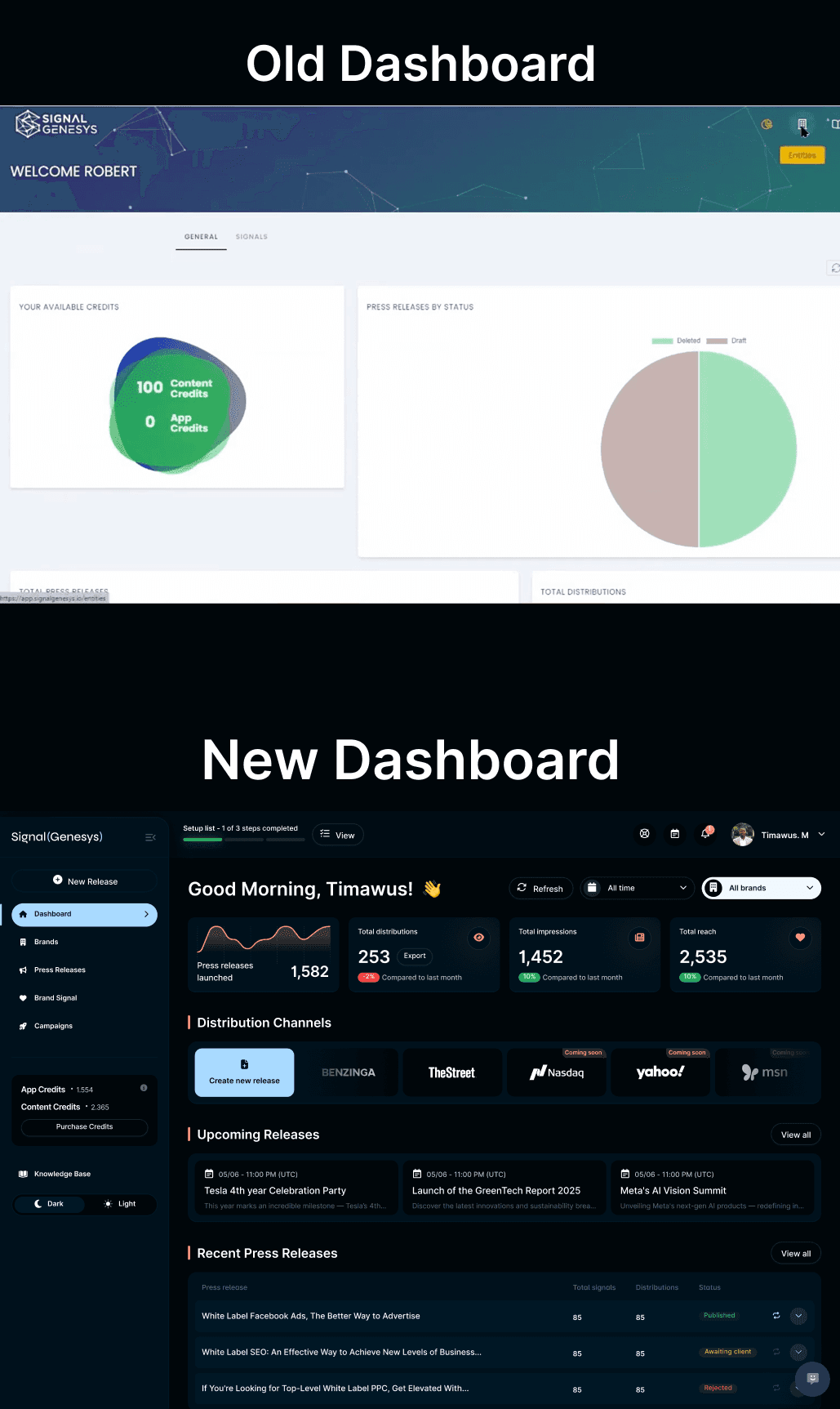
Introduced a sidebar-based nav for intuitive task access.
Replaced legacy blue and grey tones with brand-aligned navy + coral.
Applied consistent typography with improved legibility (especially on dense admin pages).
Created clean component layouts (tables, tickets, modals) using modern card-style containers.
Designed a right-drawer style support ticket view with clear chat trails, tag badges, and pinned replies.
LEARNING
Creating a design system from scratch is both empowering and complex — documentation is as important as visuals.
Even without changing core functionality, UI alignment alone improves perceived usability.
Collaboration with devs early on (even in visual-only revamps) helps avoid implementation pitfalls.